An agent that builds your track inside FL Studio.
Ask in plain words. FruitAgent loads instruments, writes patterns, places them on the playlist and sets the mix in your open project. Each request is one undo step.
Watch one request become a track
One long request, typed into an empty project. Watch everything FruitAgent did with it, sped up ten times. Press play under the film to hear the song it made.
Request“Make a melodic deep house track at 122 BPM in A minor, about 3 minutes. Chords: Am9, Fmaj7, Cmaj7, G6 on a warm pad, with a soft pluck playing an arpeggio over them and a deep rolling bassline. Drums: four-on-the-floor kick, clap on 2 and 4, offbeat open hats, a shaker and some percussion. Arrangement: 8-bar intro with drums and the chords behind a low-pass filter, 8-bar build where the filter opens up, 24-bar drop with everything, 16-bar breakdown with only the pad and the pluck, a 32-bar second drop where the pluck plays a new melody, and an 8-bar outro. Name and colour every playlist track. Mix it: duck the bass and the pad under the kick, cut the low end on everything except the kick and the bass, send the pluck to a delay and the pad and pluck to a reverb, and set up a master chain for deep house at around -10 LUFS. Render the whole song to a WAV at the end.”
From a sentence to a track
It takes the same steps you'd take with the mouse, in the same order.
It loads the instruments
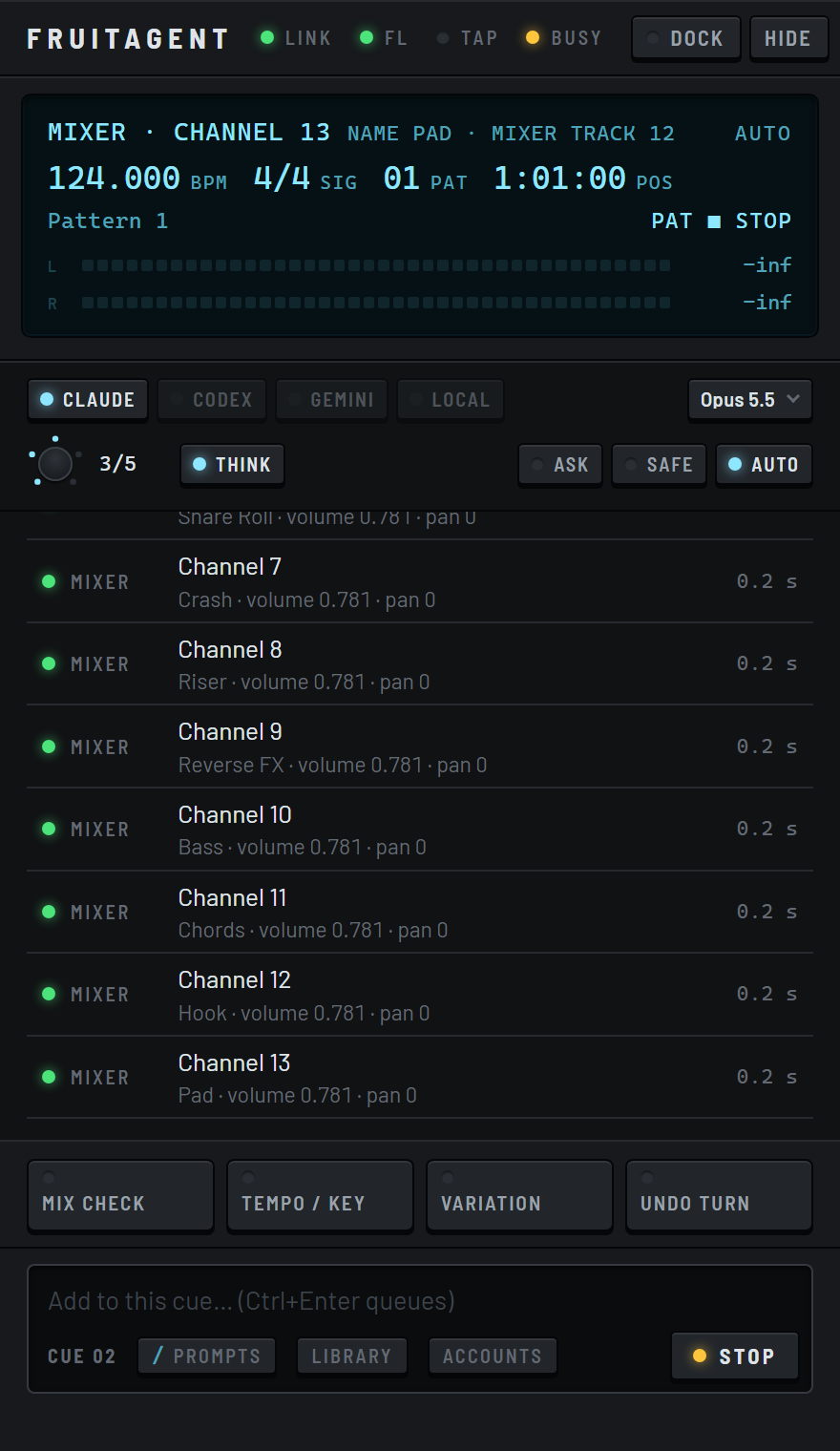
It picks synths and drum machines from your existing plugins, puts each in a new channel and chooses presets by name.
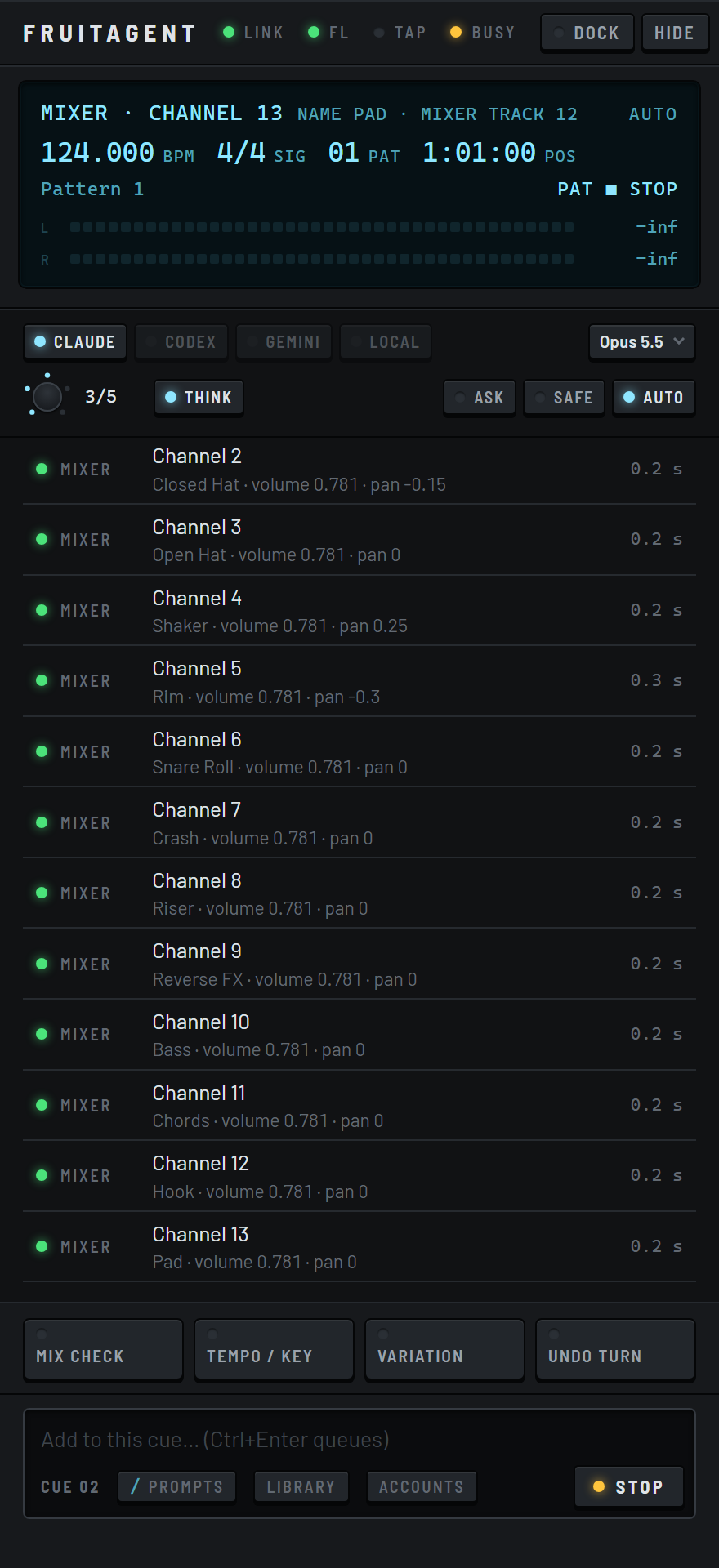 Real capture
It writes the patterns
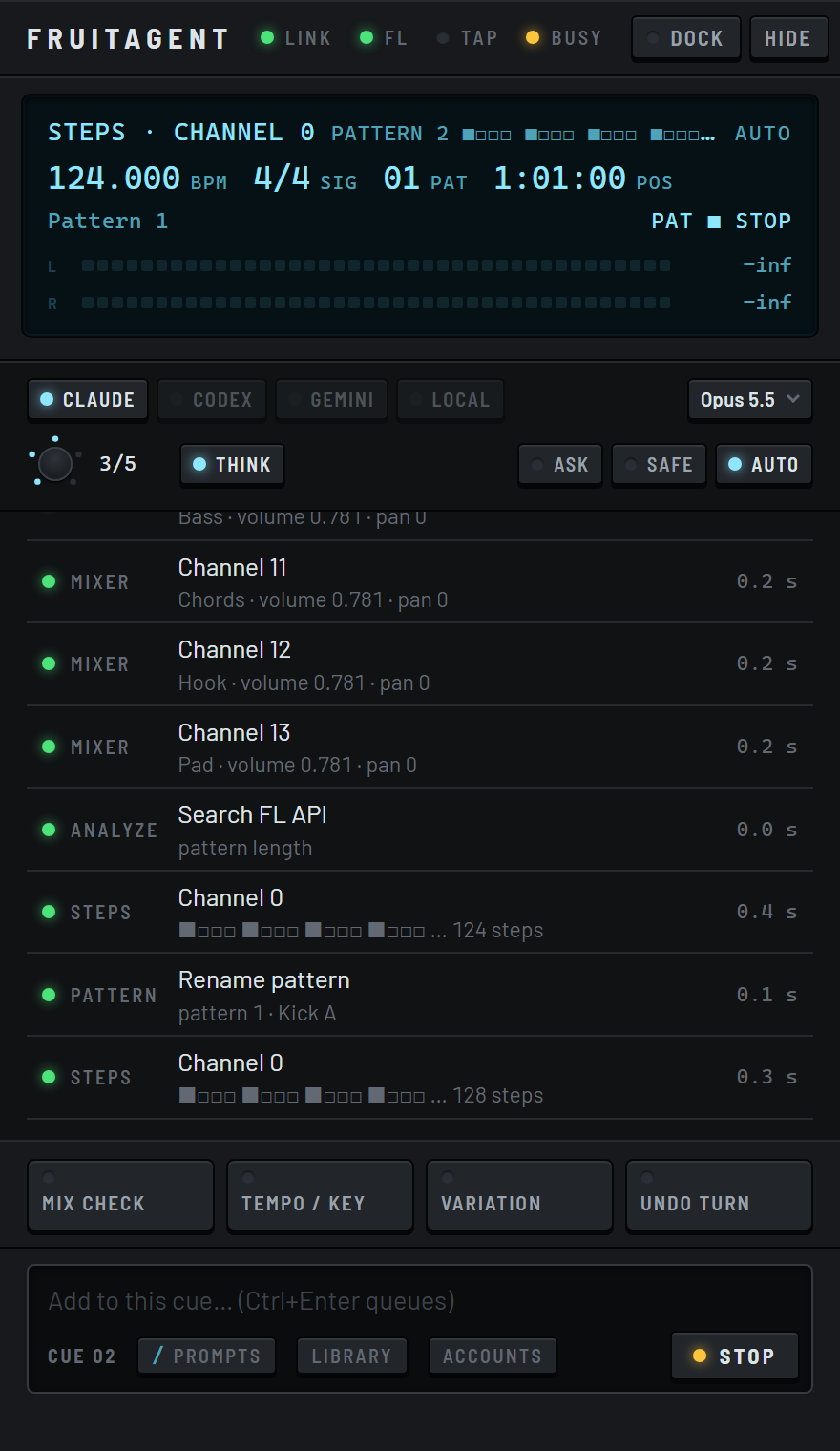
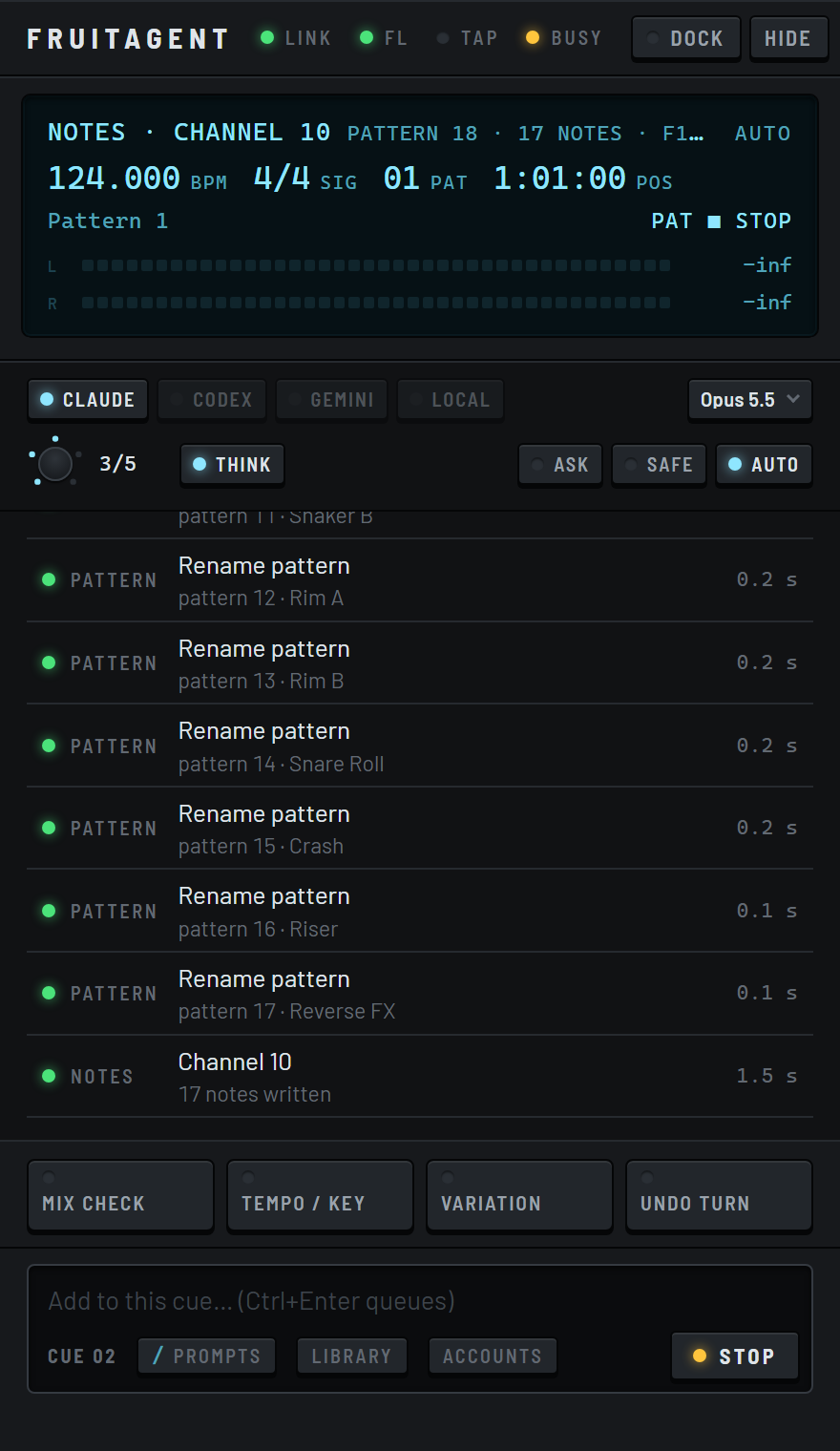
Melodies and chords go into the piano roll. Drums go into the step sequencer, with accents and ghost notes. Each part gets its own pattern.
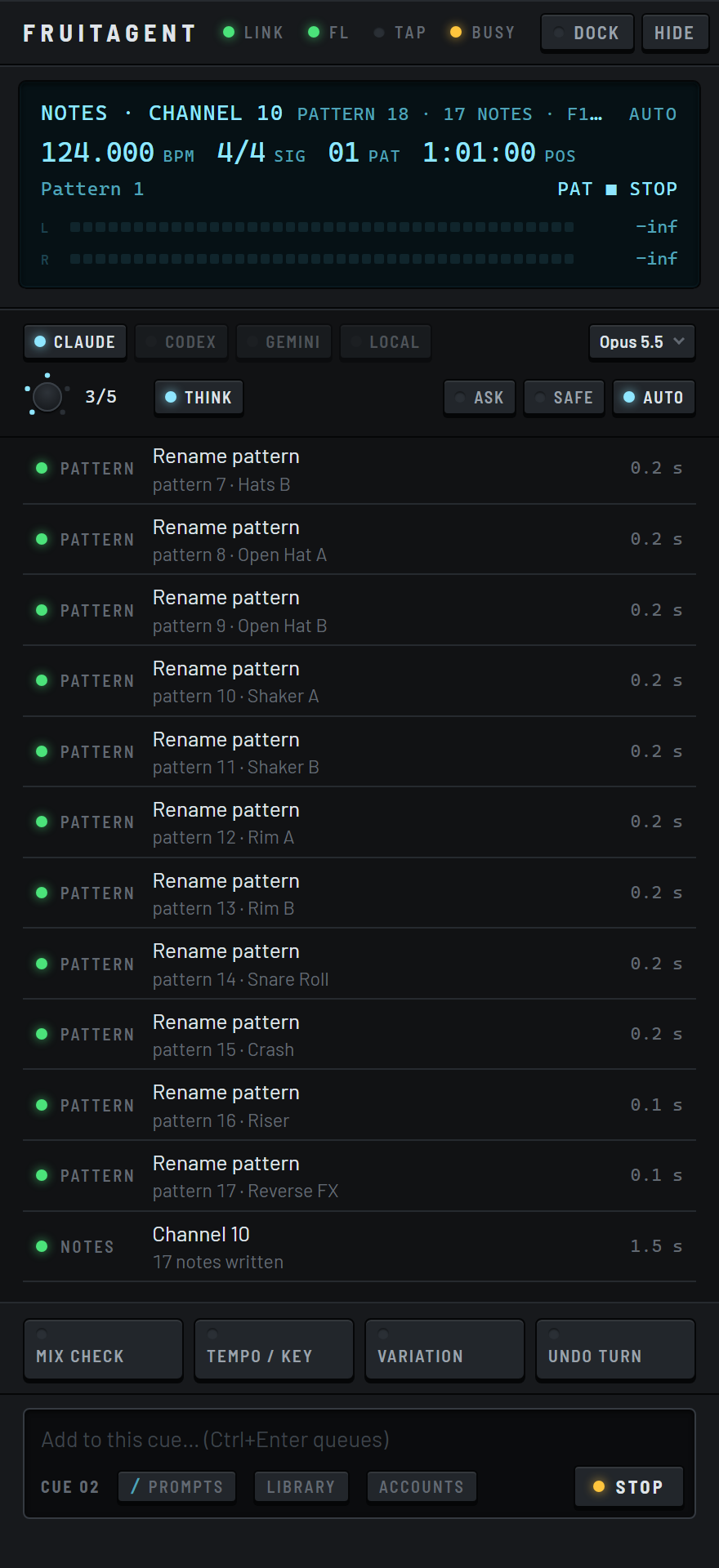 Real capture
It arranges them on the playlist
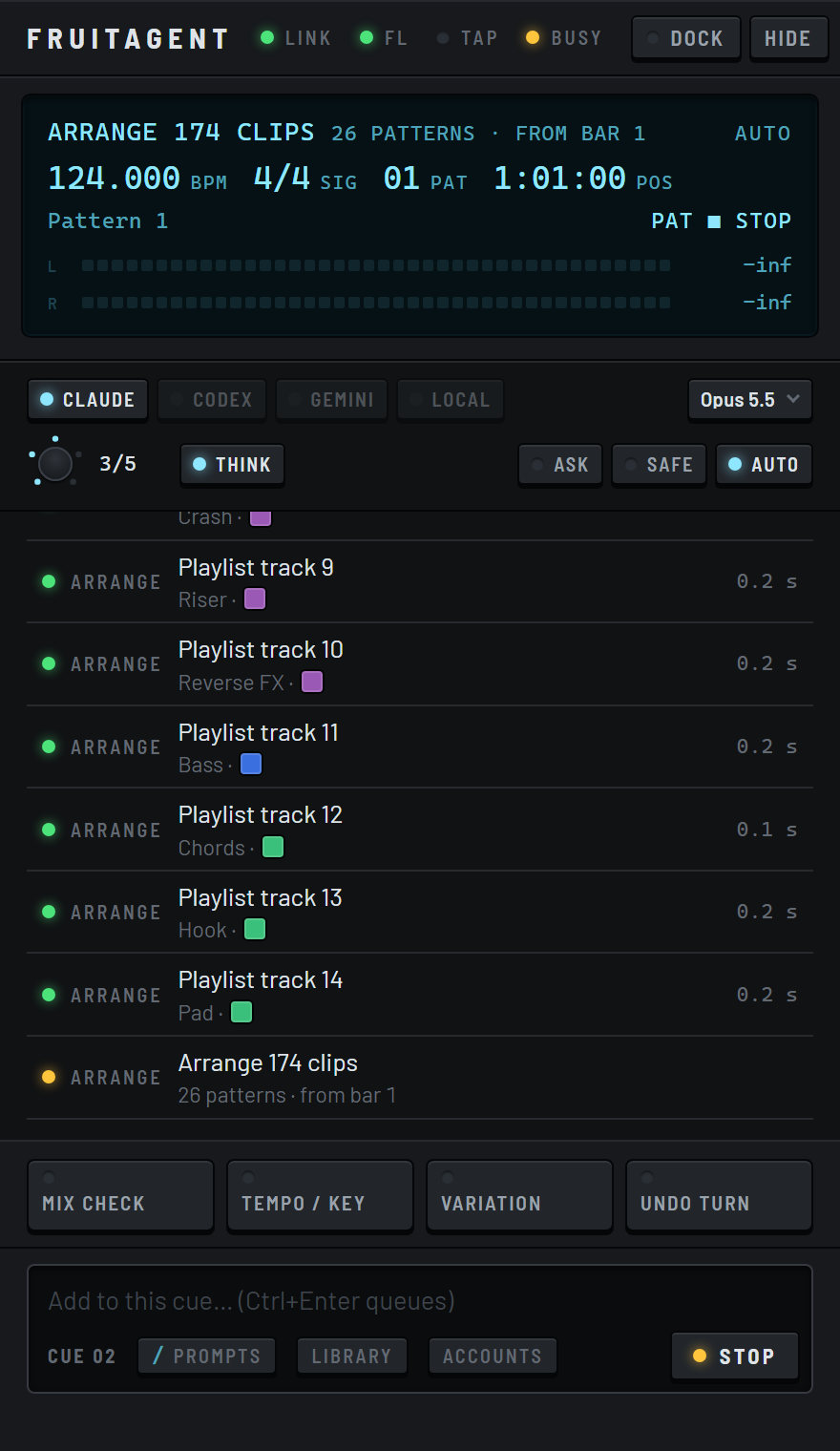
Clips go on named, coloured tracks at the bar you asked for, section by section.
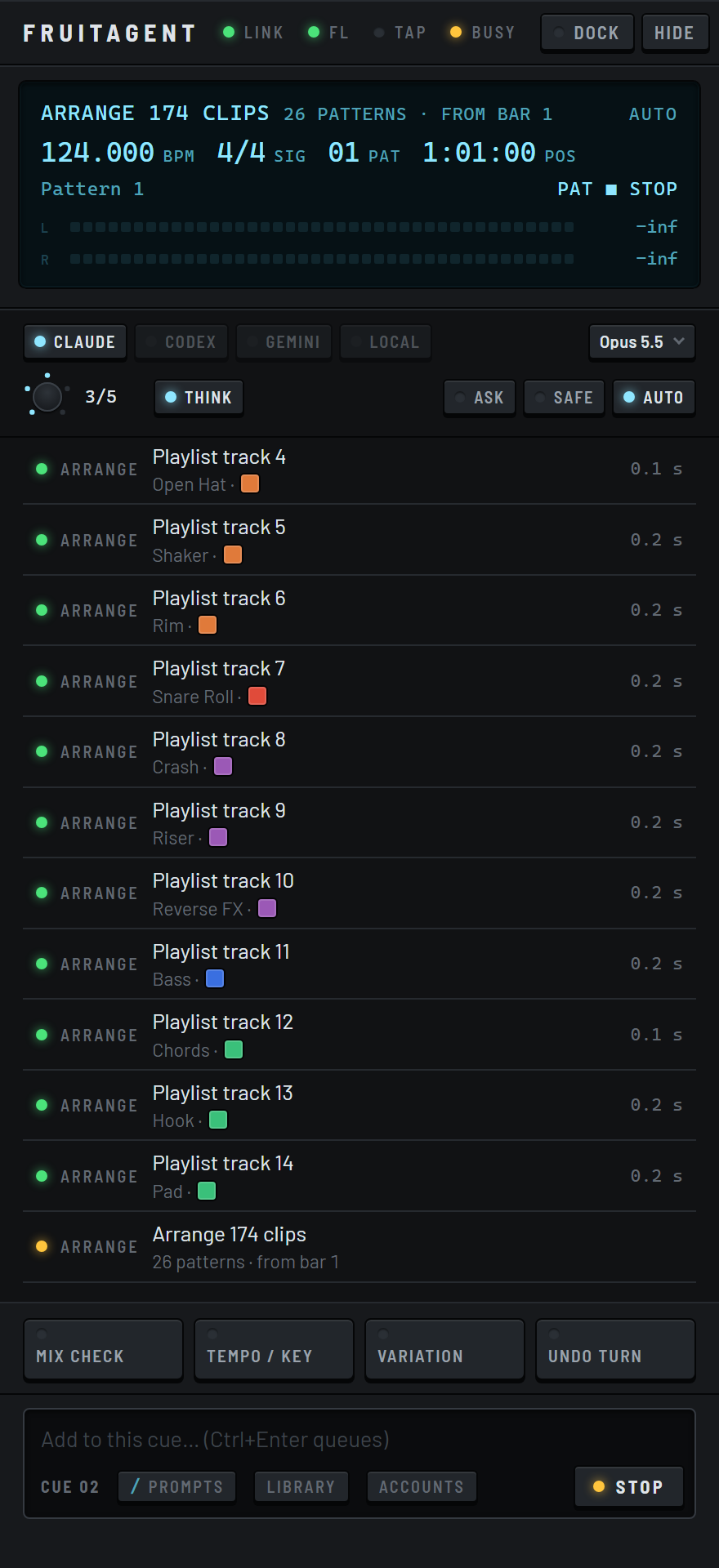 Real capture
It mixes
It sets levels, panning, EQ, sends and buses on the mixer, with effects on any insert. The master chain fits the genre. It draws automation curves for any knob in real units, and ducks the bass under the kick.
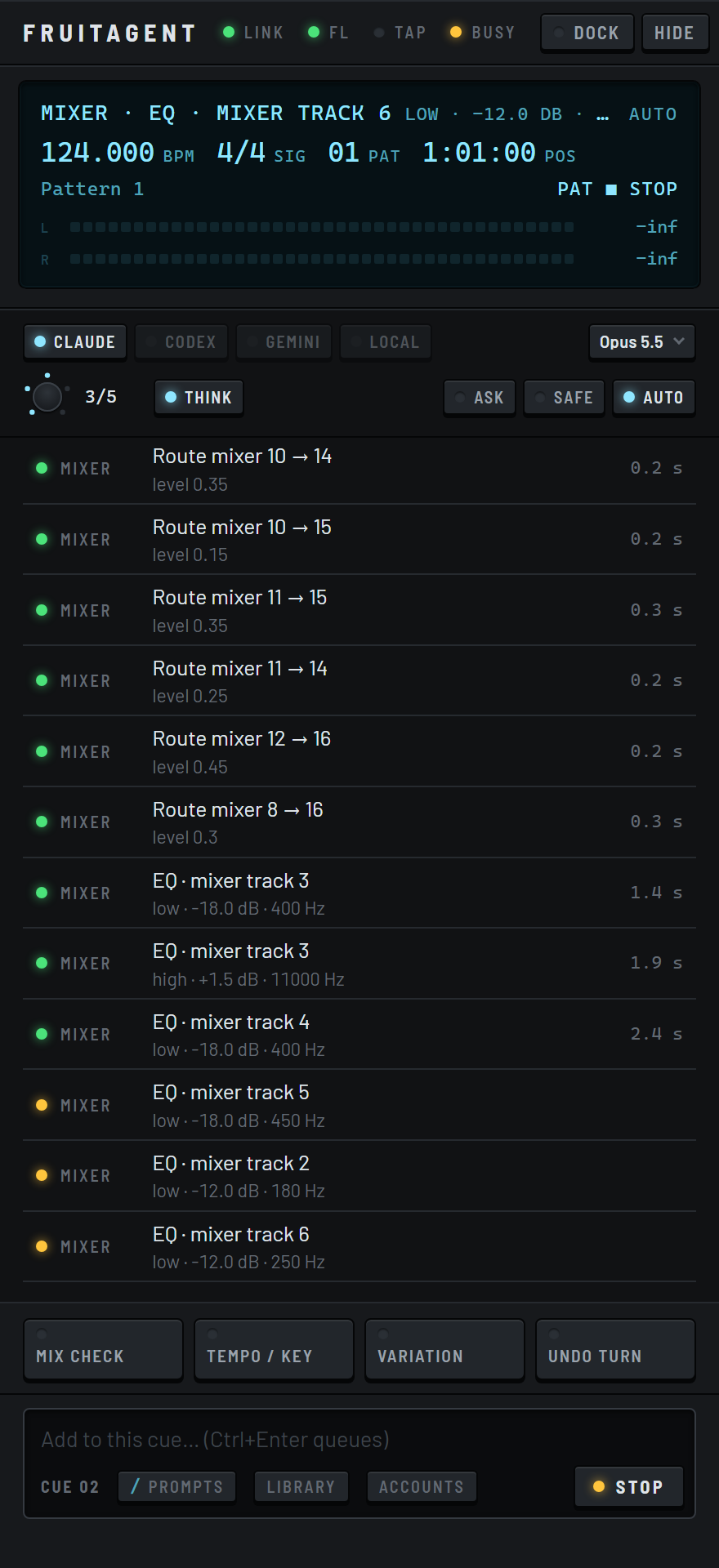 Real capture
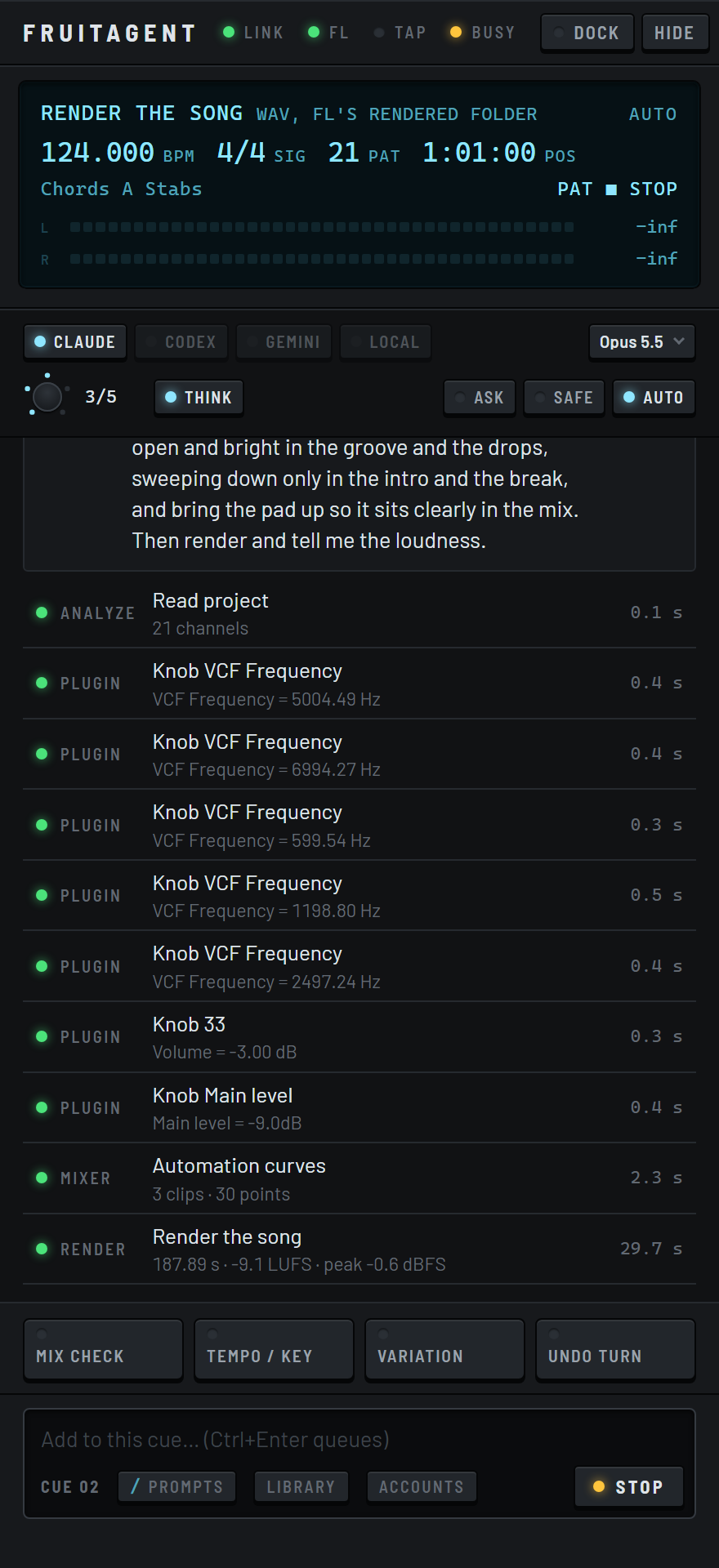
It renders
It renders the whole song as a WAV and measures its loudness, so you know how hot it is before you play it anywhere.
 Real capture
It lives inside FL Studio
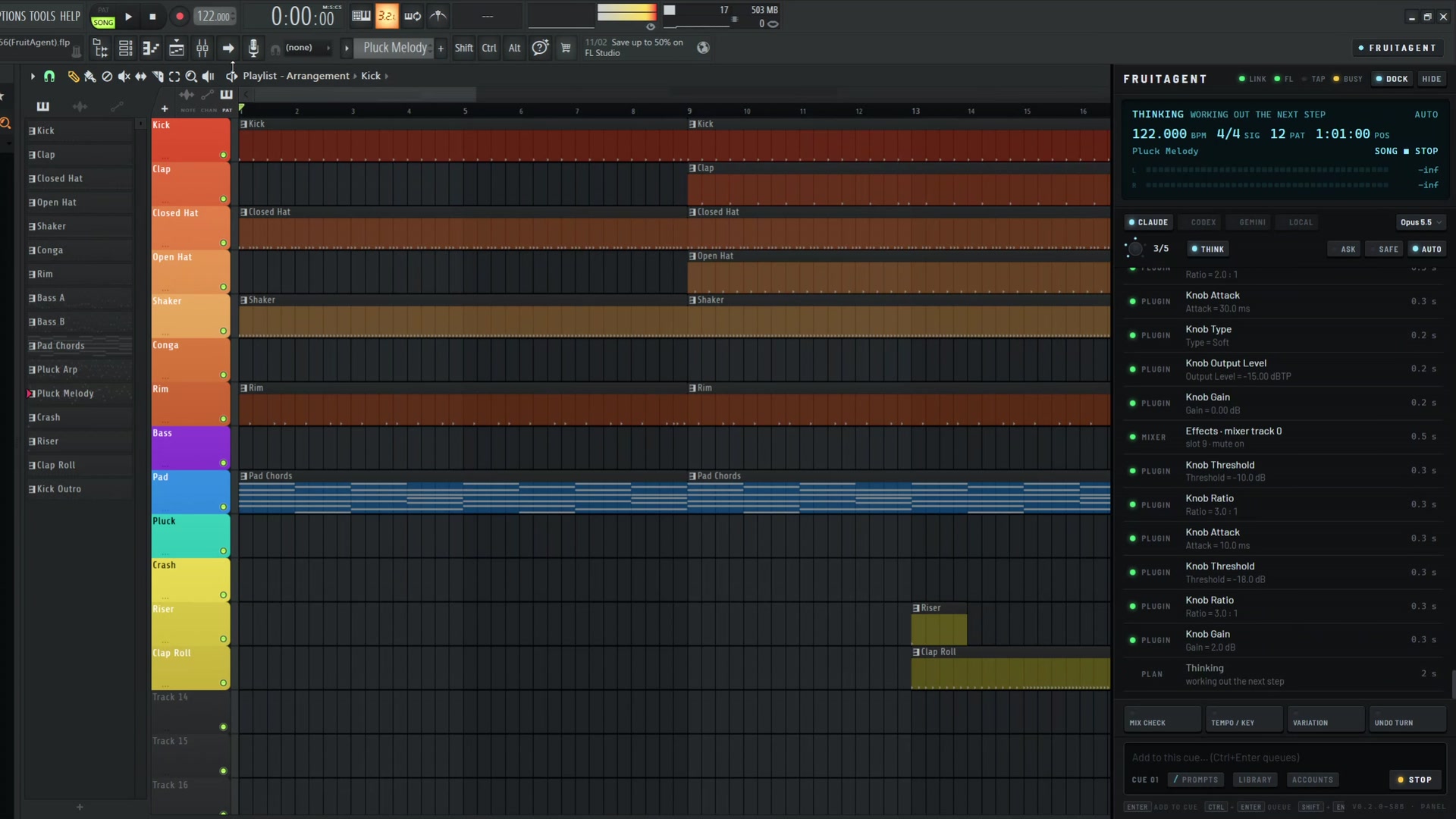
FruitAgent docks on the right of FL's workspace. Open it with the key on FL's toolbar or Ctrl+Shift+Space. You don't insert anything on the mixer.
Every action appears in the panel as it happens, with how long it took. Undo turn takes back a whole request in one press. You can set it to ask before it changes anything.
Teach it how you work
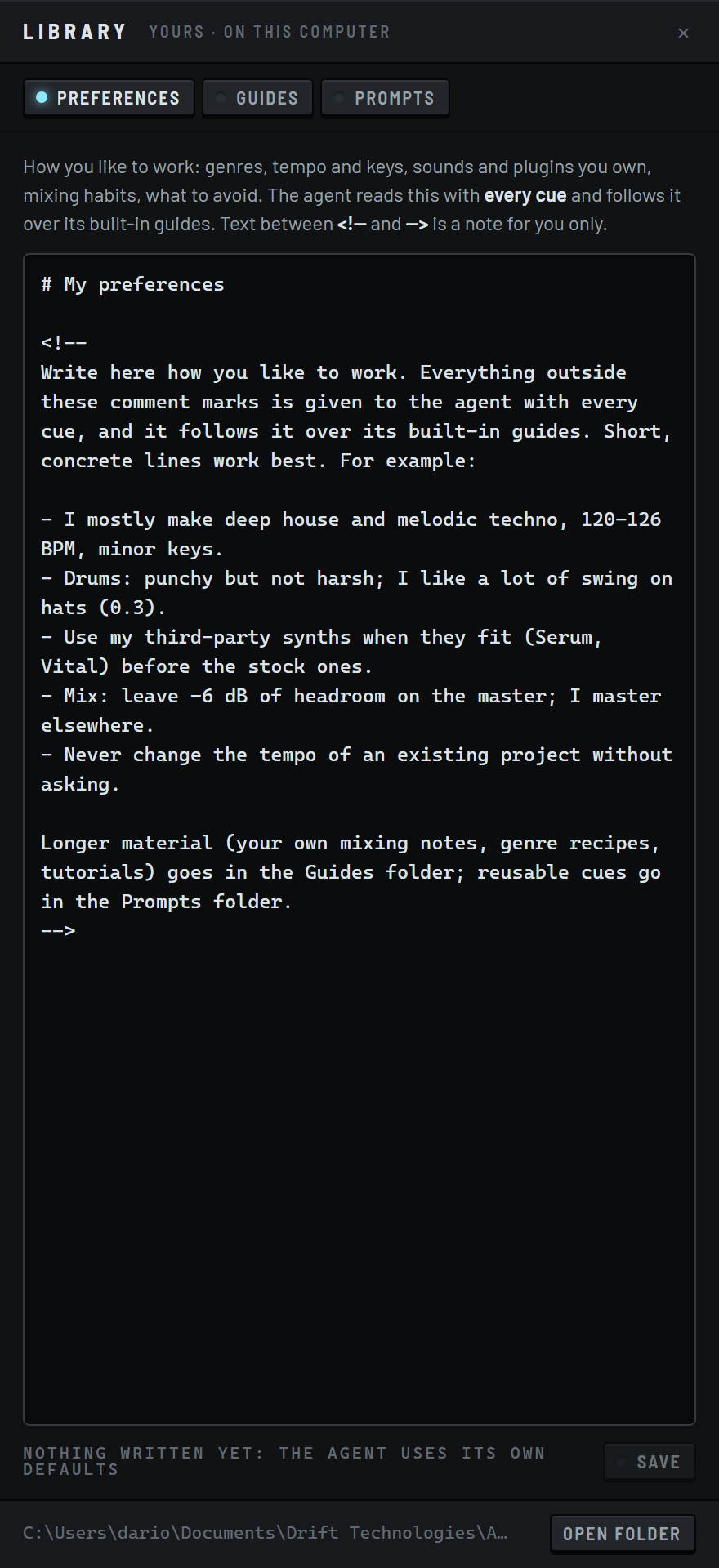
Write down how you work once: the genres you make, your usual tempos and keys, the plugins you own and how you mix. FruitAgent reads it with every request and gives it priority over its own advice.
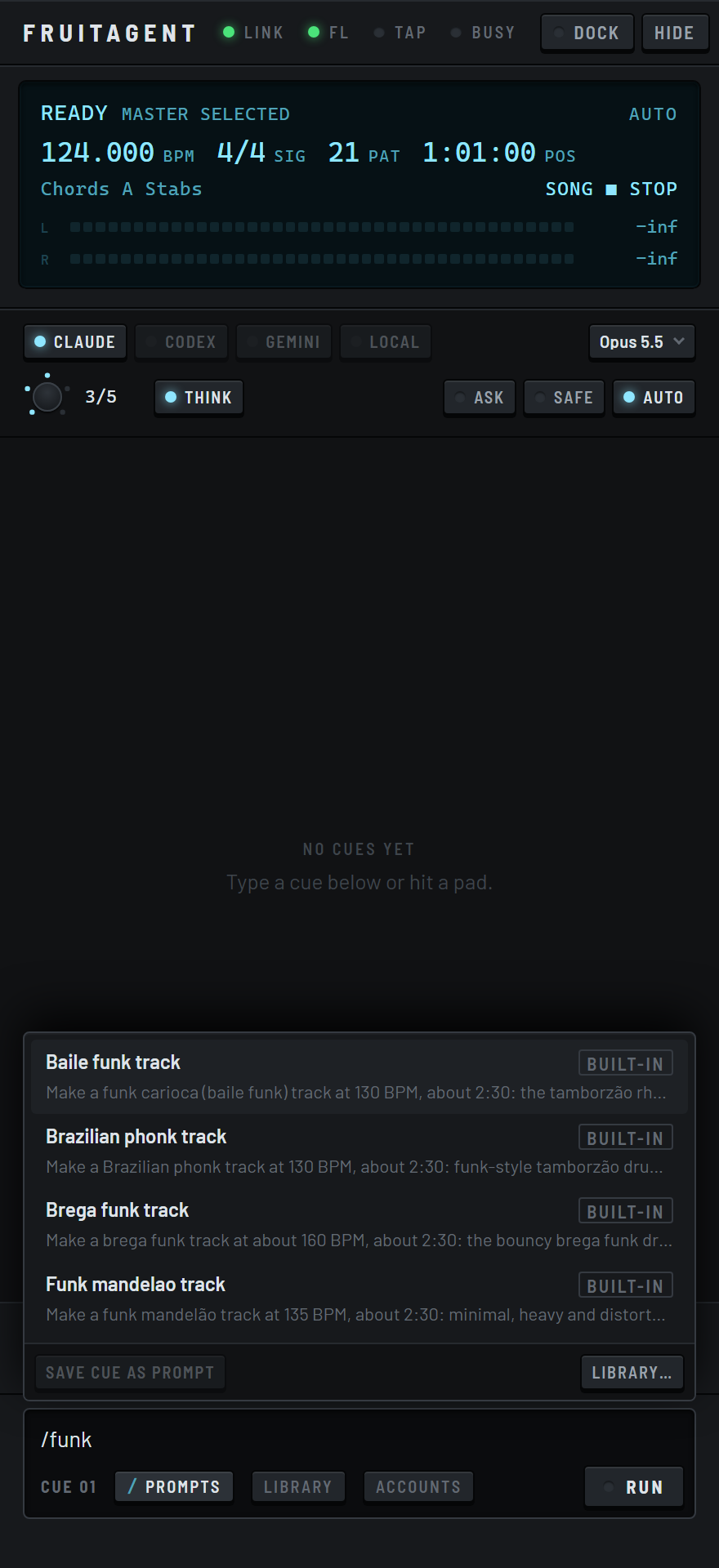
Add your own guides, including mixing notes or course handouts, as Markdown, text, HTML or Word files. It checks yours before its built-in guides. Your frequent requests become prompts. Type a slash to pick one.
It knows the genre you ask for
Built-in guides explain how each style is made, from the drum grid and swing to the bass and chords. They cover the sounds that fit, the arrangement, the mix and how loud the master goes. Ask for a track and it uses all of it.
- House
- Deep house
- Tech house
- Techno
- Trance
- Drum and bass
- Trap
- Lo-fi
- Pop
- Phonk
- Brazilian funk
- Baile funk
- Brega funk
- Hood trap
- Rage
- Hyperpop
- Digicore
Talk to it while it works
Type while a request runs. It reads your note as soon as its current step is done: "darker pad", "keep the hats". You can queue the next request behind it or stop it where it is.
Copy any request or answer from the panel. Press the arrow key to bring back an earlier one.
Use the AI you choose
Pick Claude, OpenAI or Gemini models, or run a model on your own computer through Ollama or LM Studio. You use your own provider account and pay the provider directly. FruitAgent never sits in between.
Already working in Claude Code, Codex or Cursor? Connect them to FruitAgent. Their actions in your project appear in the same panel, with the same undo.
Coming: an installer that does the setup
Run the installer and open FL Studio. The FruitAgent key appears on the toolbar. The installer sets FL's MIDI and script settings for you, so there's nothing to configure by hand.
Questions
When can I use it?
FruitAgent isn't available yet. If you're on the waitlist, you'll hear first when it's available and get the first invitations to try it.
What will it cost?
A low monthly subscription. The price will be announced before launch, and the waitlist will hear it first.
Which FL Studio do I need?
FL Studio 2026, version 26.1.7 or later, registered. Some actions rewrite the project file. FL's trial mode can't reopen saved projects, so those actions stay off in the trial.
Does it work with the plugins I own?
Yes. It loads instruments from FL's plugin list, including yours, and puts your VST, VST3 and CLAP effects on any mixer insert. It reads each plugin's knobs by name and sets them in the plugin's own units.
Can I undo what it did?
Yes. Press Undo turn in the panel once to undo everything a request changed.
Does it run on a Mac?
Windows comes first. macOS is planned.
Can it learn the way I work?
Yes. Write your preferences once in its library and FruitAgent reads them with every request. Your guides and saved prompts live in a folder on your computer. You can edit them there or in the panel.
Where does my music go?
Your requests and the parts of the project the agent needs to read go to your chosen AI provider, through your own account. FruitAgent itself never receives your projects. With a local model, nothing leaves your computer.
Is this made by Image-Line?
No. FruitAgent is an independent product and isn't affiliated with Image-Line.
Hear when it's ready
Leave your email address and you'll be among the first to try FruitAgent.